
Jarro — pocket money app for families

Pocket money,
made visible.

Track allowances, savings goals and chores — without handing your seven-year-old a debit card. No bank account. No KYC. Just smart money habits from day one.

Free for one child · Set up in 2 minutes · Works on every phone
Why parents stay

Three worries, gone.

Most "kids and money" apps are fintech in disguise. Jarro is the simple, private, low-stakes alternative.

🚫💳

No bank, no card.

Nothing to lose, nothing to overdraft. Pocket money stays virtual until you hand it over in real life.

🔒

Your family's data, yours.

No advertiser SDKs, no spending profiles. Jarro holds the room key, not the family's life.

⏱️

Set up in two minutes.

No ID upload. No verification email tree. Add the kids, add the chores, you're done.

How it works

Three steps. That's it.

Designed so that a tired parent on a Sunday evening can run it in the time it takes the kettle to boil.

1

Add the kids and the chores

Each child gets their own jar, colour and savings goal. Chores can be one-offs or weekly habits — you set the value.

2

Tick boxes as the week goes

Bed made? Tick. Read for twenty minutes? Tick. Jarro adds it up automatically using whichever payout rule fits your family.

3

Pay out — and watch the goal fill up

End of the week, hand over the money in real life (or transfer it). The savings bar moves. The conversation starts.
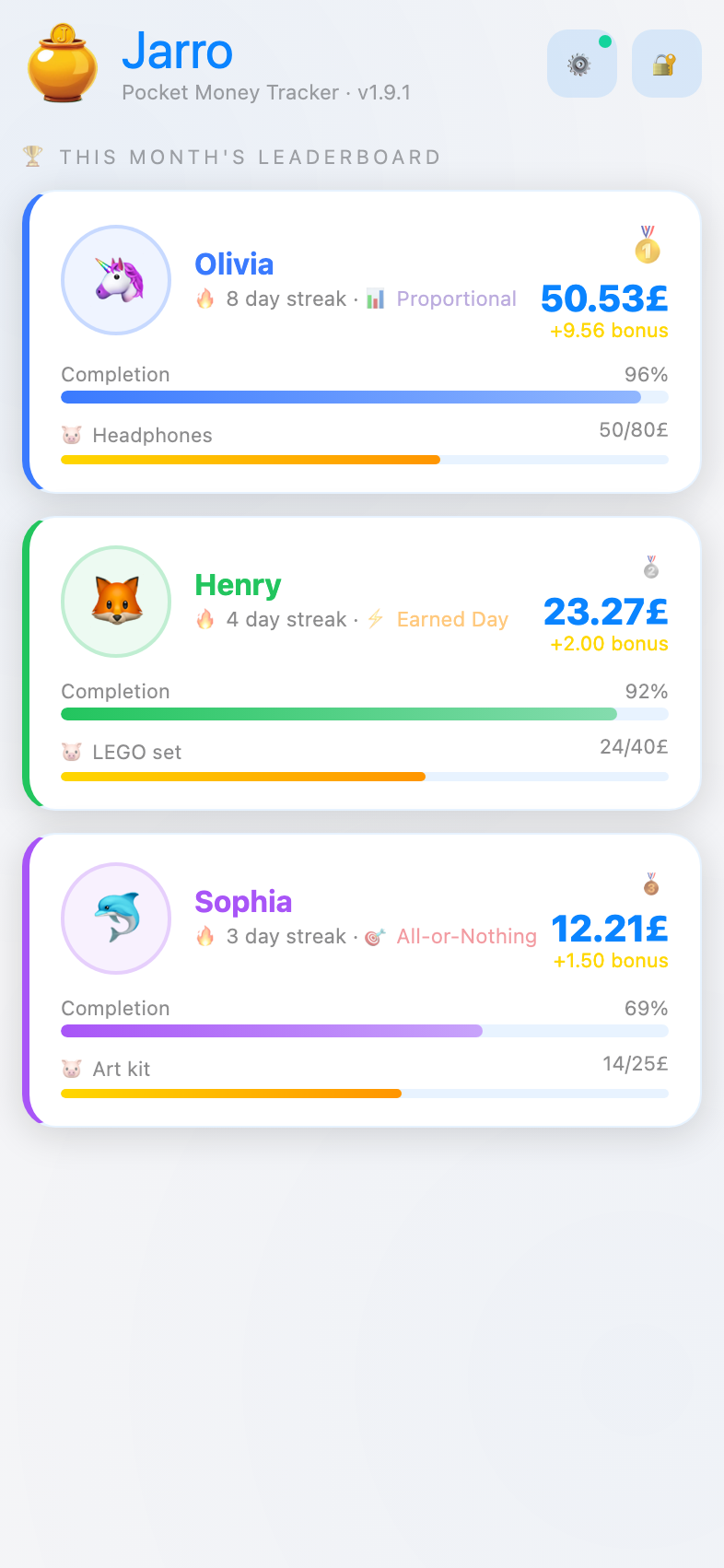
The home leaderboard with each kid's savings goal
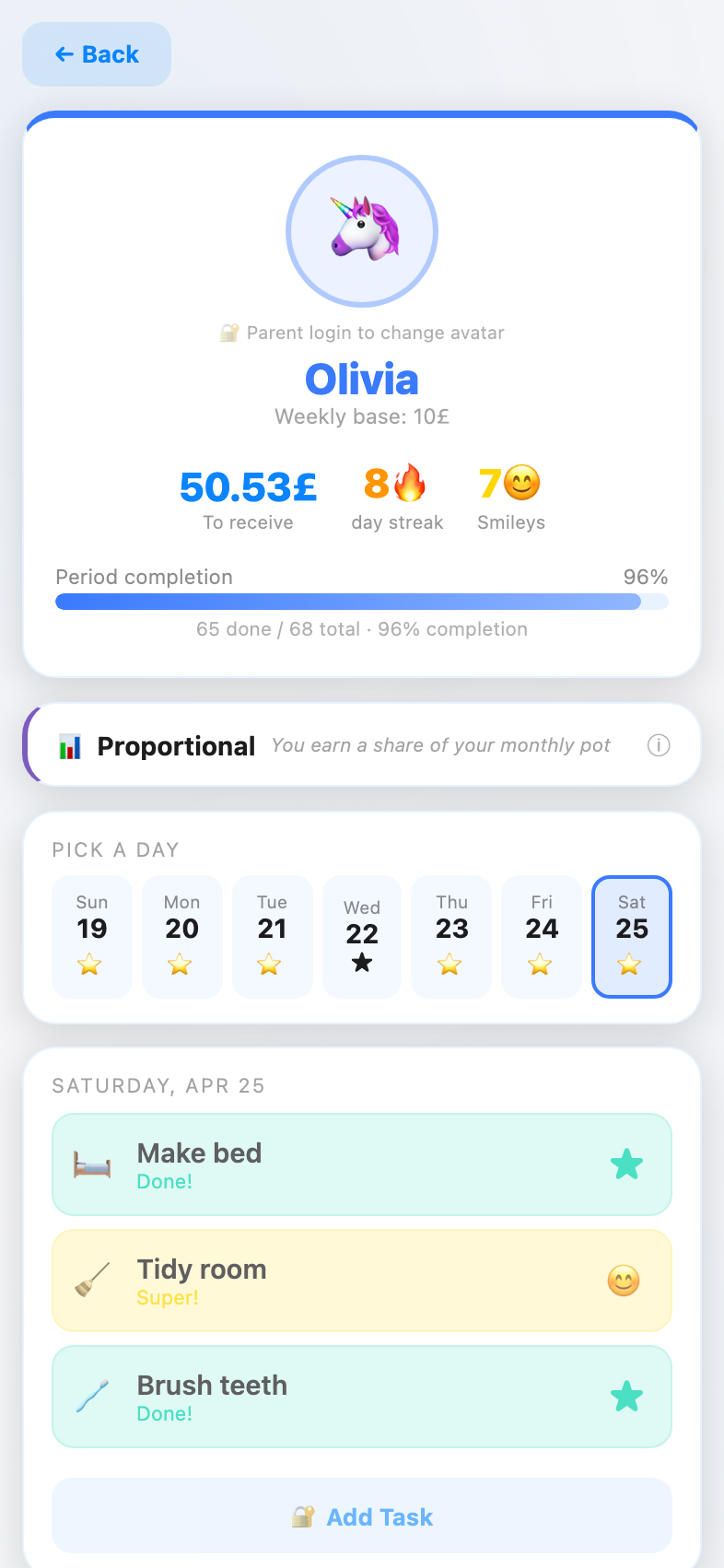
A child's day view with chores ready to tick
One room, every screen

Where the family already looks.

Phone in your pocket, tablet on the fridge, laptop at homework time. Same room on every screen — and nine themes, so each kid picks the vibe that fits.
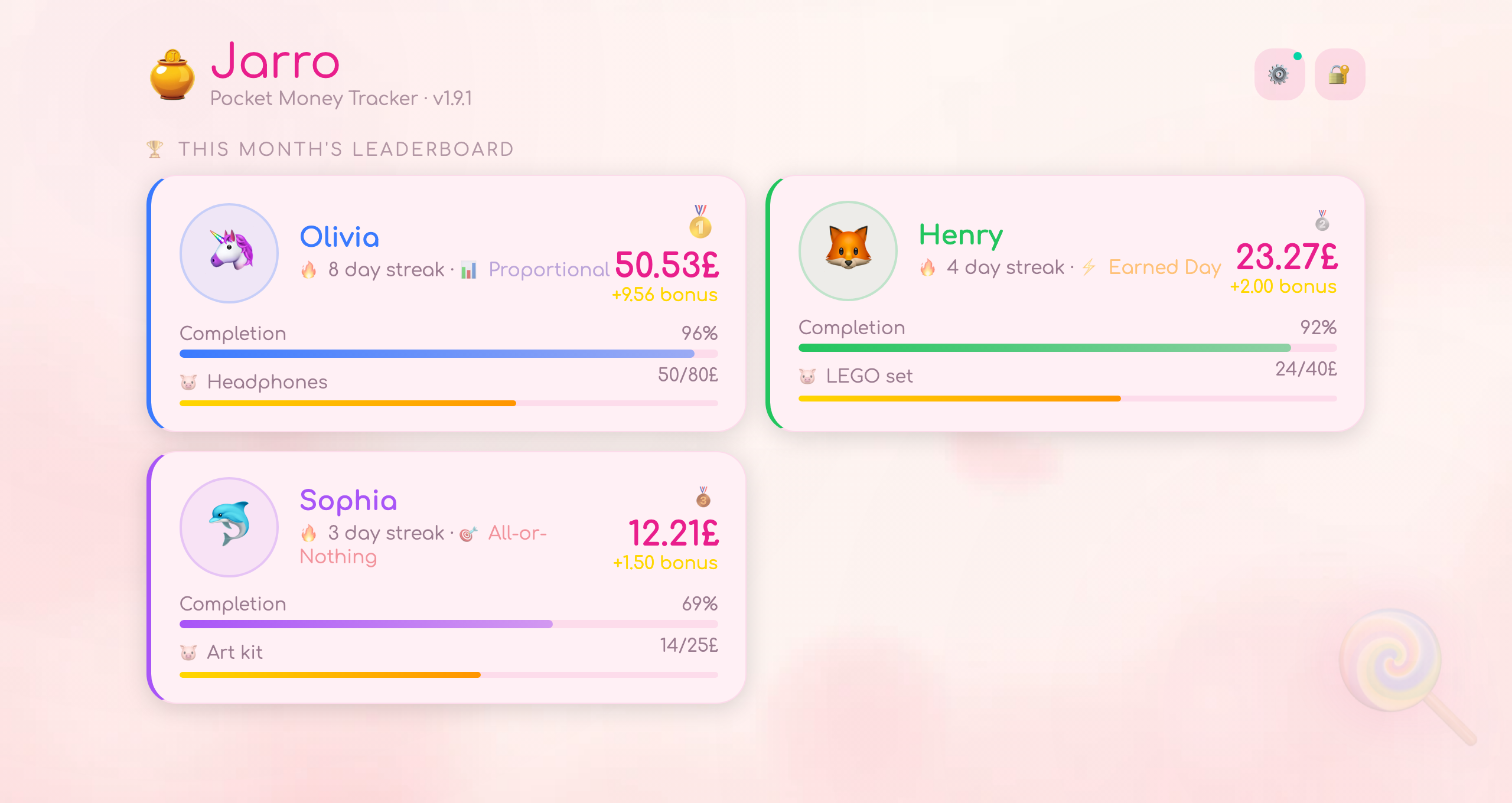
The Jarro leaderboard in the playful Candy theme — soft pinks and a lollipop backdrop
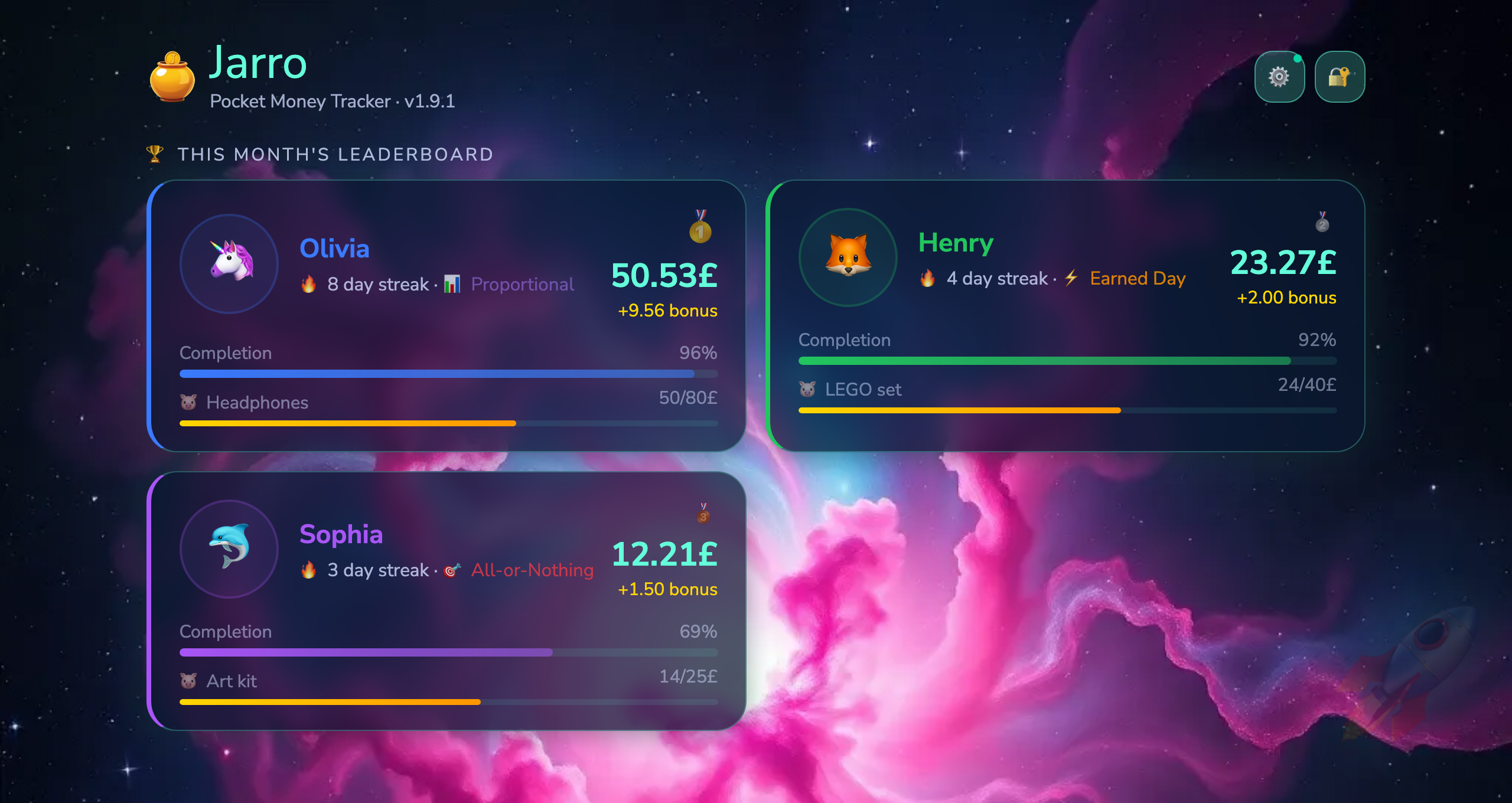
The Jarro leaderboard in the cosmic Space theme — deep blue nebula with neon accents
Vs. card-based apps

The same lessons, without the plastic.

GoHenry, Greenlight, Rooster — they all need a bank rail. Jarro doesn't, because pocket money never has.

Jarro
Card-based apps
Setup
2 minutes, on the sofa
Bank verification, ID upload
Cost
Free for one kid · €2.99/mo family
Refer a friend → earn a free month (up to 12)
€3.99 – €14.98/mo per child
What the kid carries
Habits and a savings goal
A debit card
Where the data lives
Only with your access link — no name, no email
Bank, processor, app vendor
If you lose your phone
Open your room link on the new one
Card replacement, support tickets
Why we built it
"Every child deserves to understand money before the world hands them a credit card."
Questions parents ask

The honest answers.

Is real money involved?
No. Jarro tracks pocket money — you still hand over coins, transfer to their account, or whatever you do today. The app is the ledger; you're the bank. That's deliberate: it's why kids of any age can use it, and why we don't need KYC, regulation, or your card details.
What ages does it work for?
From age 3 onwards — no upper limit. Younger kids love watching the savings bar fill up. Older ones like the proportional and "all-or-nothing" payout rules. Teenagers use Jarro alongside their first bank account.
Do I have to install anything?
No. Jarro runs in the browser and installs as an icon on the home screen if you want. No App Store account, no updates to chase.
What about privacy and my kid's data?
We collect nothing — not even an email. Your room is identified by a long random link only you have. No account, no sign-up, no advertisers, no analytics on what kids buy. GDPR-compliant by design — there's almost nothing to comply about.
What if I forget the PIN or lose my room link?
Tap "Forgot PIN?" on the PIN screen and enter the 16-character recovery code you saved during setup — it resets the PIN, and on a new device it also restores a lost room link. Without the code and without a backup, access is gone for good: we hold no email and no account, so there's nothing we could verify you with. Step-by-step recovery guide.
Can grandparents contribute?
Yes. Record gifts from grandparents as bonuses — your kid sees the full savings picture, and you don't have to track gifts on the side. Perfect for birthdays, holidays, or just because.
Which languages?
English, German, Polish, French, Spanish, Russian and Chinese today. Currency and date format are detected from your device region (e.g. US → $, PL → zł). You can override the currency anytime in Settings.
Can I get Pro for free?
Yes. Every Pro family gets a personal referral link. When someone signs up through your link and upgrades, you both earn a free month of Pro — up to 12 months. You'll find the link in Settings once you're on Pro.
What if I don't like it?
Free for one child, no card required to start. If the family plan isn't earning its €2.99 a month, cancel in one tap.

Try it on this Sunday's pocket money.

Two minutes to set up. One week to see if your kid checks the app on their own. No card needed to start.

No email. No bank. Just a room link you keep.